
The sale reports itself
When the cashier rings up a sale, the platform sends it to FBR in the background. No one batches up the day’s receipts and types them into a portal after closing.
E-Invoicing connects your counter to FBR: every retail sale is reported as it happens, the receipt carries the FBR reference number and QR code, and the day-end totals are ready for filing. Your cashiers keep their routine.
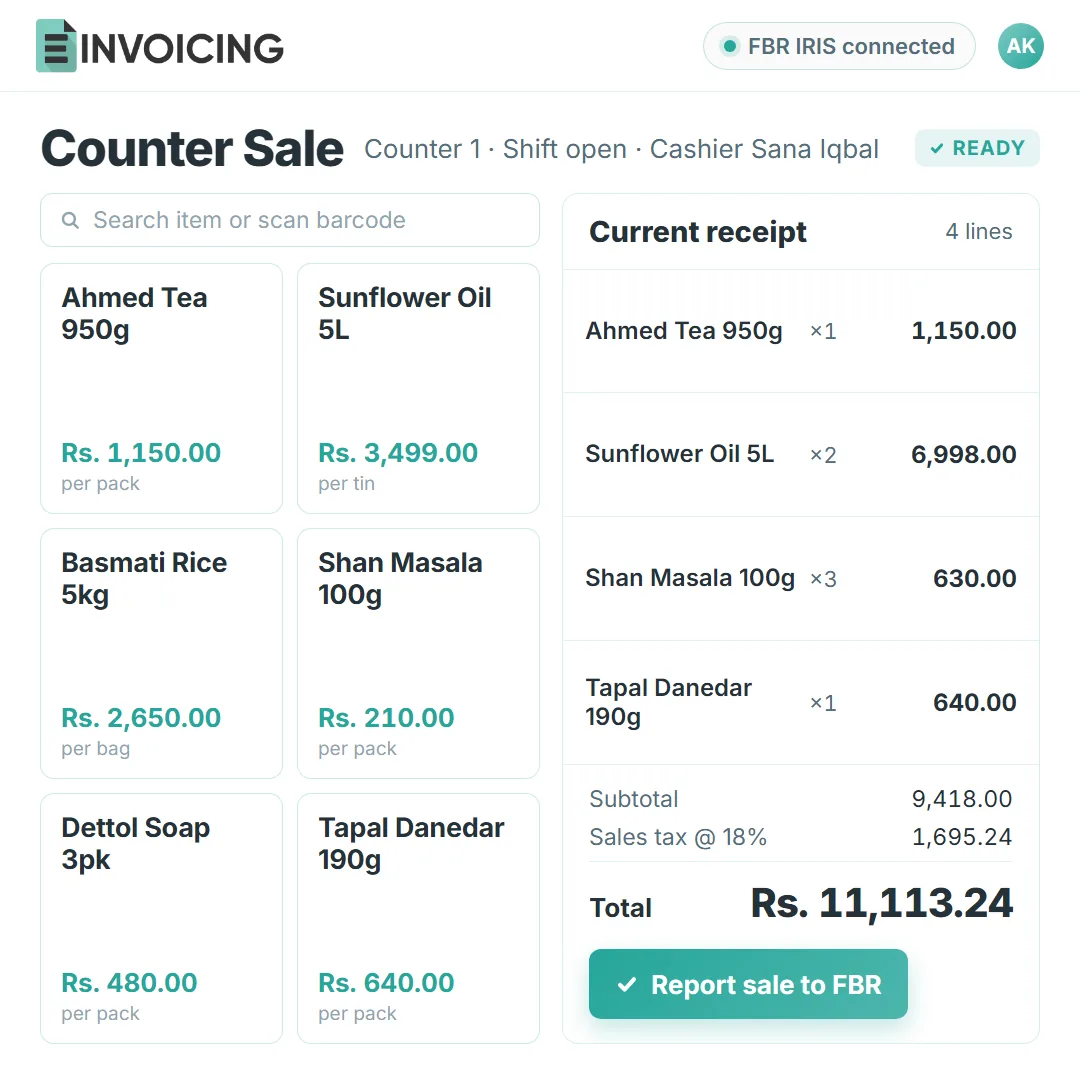
Retail reporting should not add a task to the busiest person in the shop. Three things change, and the cashier is not one of them.
FBR POS integration supports the retail operations covered by its requirements. If your business also needs digital invoicing, we help map both workflows during setup. See FBR’s legal provisions for the applicable requirements.
When the cashier rings up a sale, the platform sends it to FBR in the background. No one batches up the day’s receipts and types them into a portal after closing.
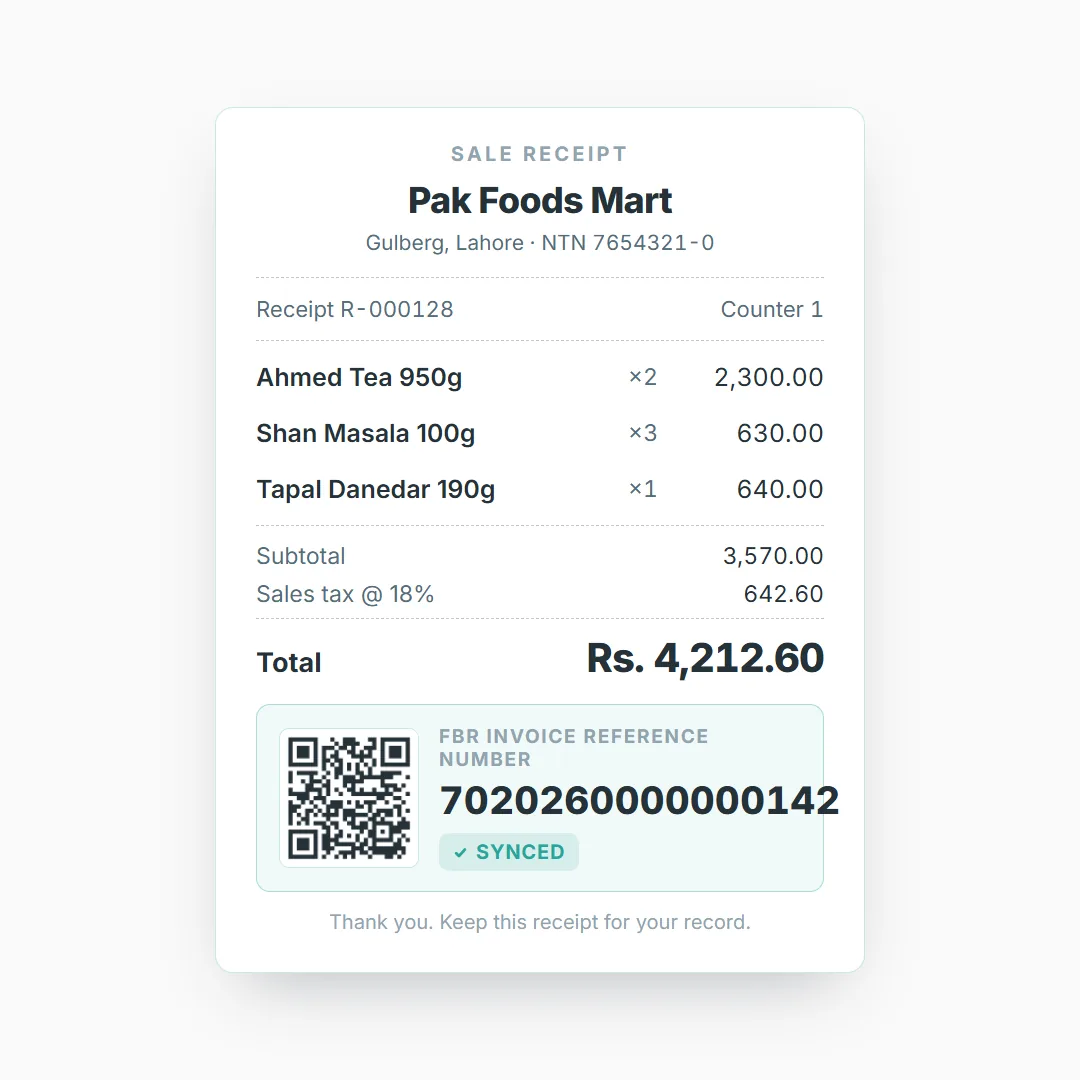
The printed receipt carries the FBR reference number and QR code for that sale. If a customer or an inspector asks, the proof is already in their hand.
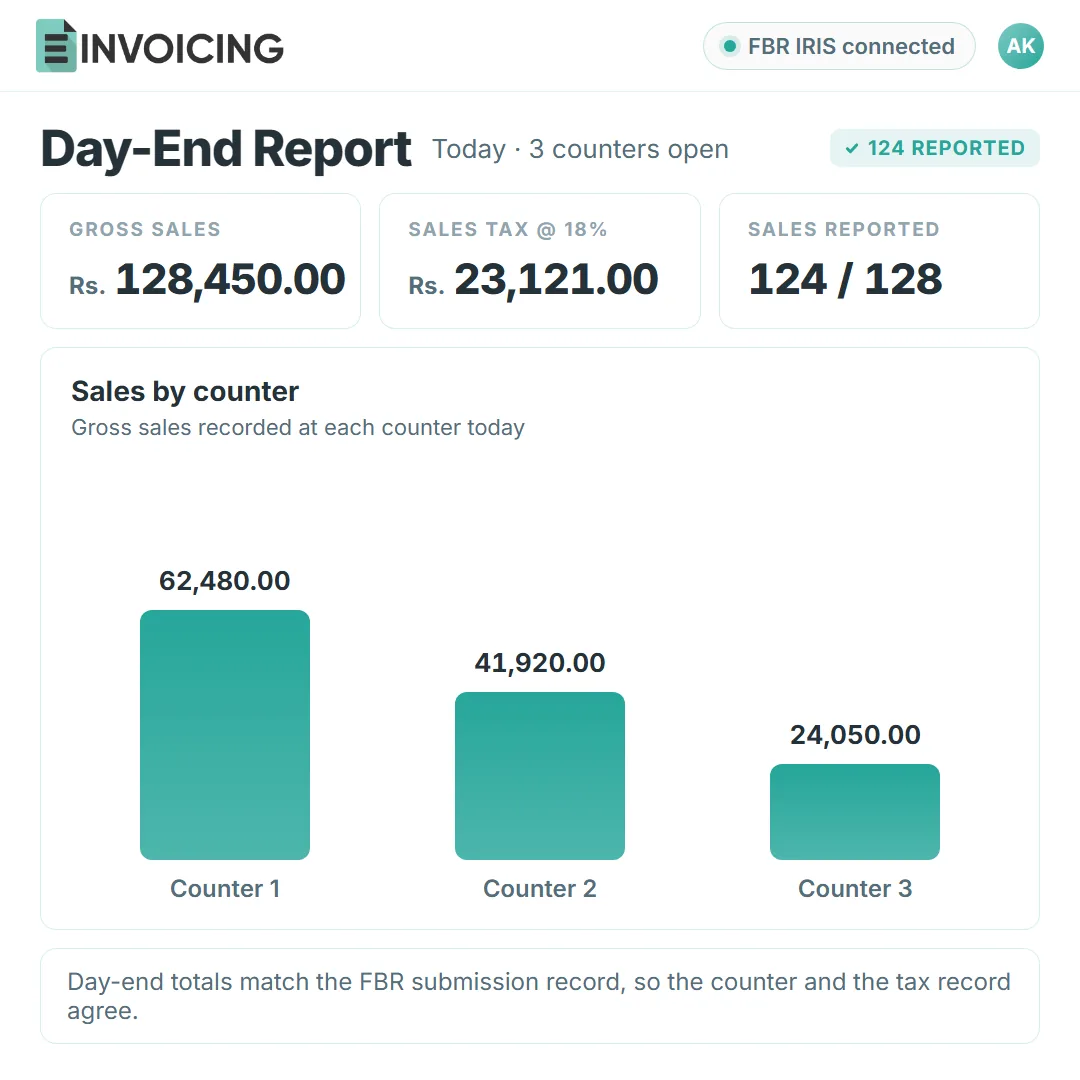
Sales totals, tax collected and submission status are ready when the counter closes. The owner sees the day in one view instead of adding up a pile of slips.
Five parts of the counter day, on the screens your staff will use. Reports and access sit inside the same flow, not beside it.
The cashier rings up the sale on the counter screen; the platform reports it in the background.
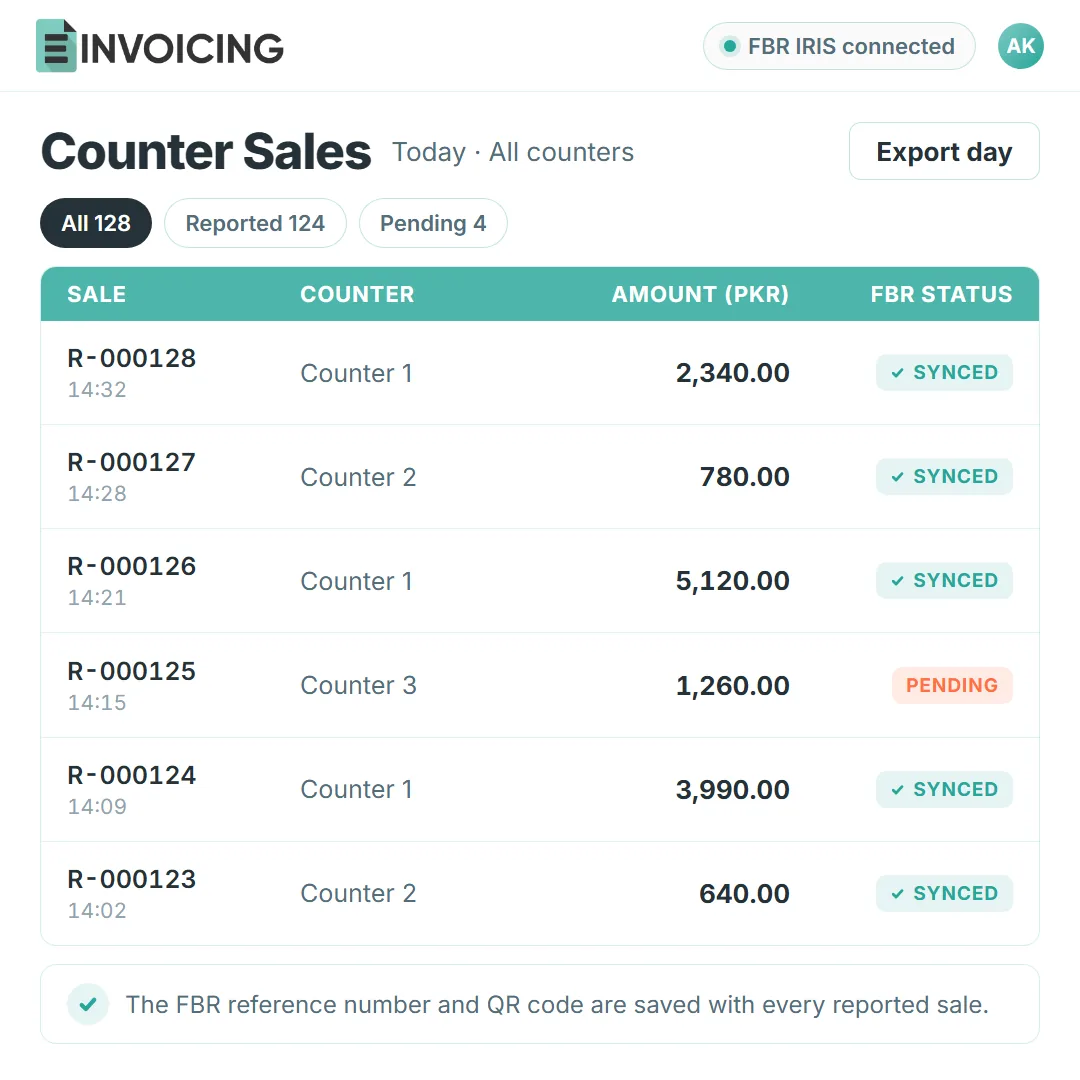
Every sale and its FBR status in one list, with the reference number kept against the sale.
The customer receipt carries the FBR reference number and QR code with the normal sale details.
Day-end sales and tax totals next to the submission status, ready for the accountant.
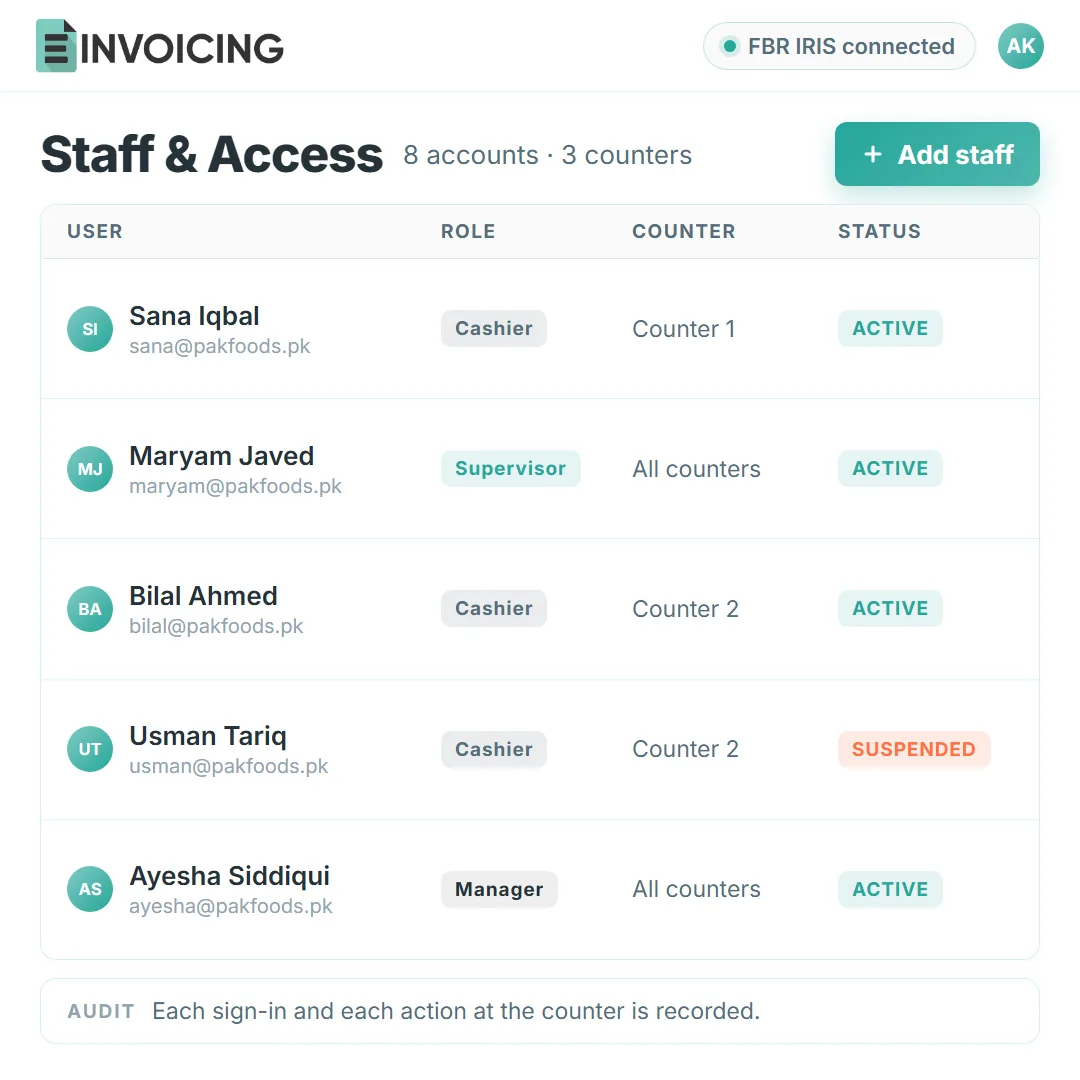
Cashiers, supervisors and managers each get their own login and access level.
Run the POS screens E-Invoicing provides, or let your existing retail system send sales to the platform. Shops on SAP, Odoo, QuickBooks or Shopify keep their setup; a custom till can connect directly.




Three short steps, done with our team and your counter staff.
Connect the counter to E-Invoicing, or link the retail system your shop already runs.
Send one sale through and check the receipt: the FBR reference number and QR code should be on it.
Run a normal day, then check the day-end totals and submission status with your accountant.
Free resources for checking a receipt, reading up on FBR IRIS, or seeing the platform’s live numbers.
Follow the official verification route for an FBR, SRB, PRA or KPRA document.
Open the invoice verification toolPlain-language steps for IRIS registration, verification and recovery tasks.
Browse the guides hubThe homepage counts accepted FBR submissions from live customer use, with test data excluded.
View the record on the homepageShort answers about reporting counter sales and what changes for your team.
A retail sale reported through an FBR-integrated point of sale. Integration obligations depend on the requirements that apply to the retailer. Each accepted sale receives an FBR reference for the customer receipt.
Yes. The receipt carries the FBR reference number and QR code, so the sale can be checked later. Your staff do not have to explain the reporting at the counter; the proof prints with the sale.
No. Cashiers keep the same till and the same routine. E-Invoicing reports each sale behind the scenes and stores the response, so nobody logs in to an FBR system at the counter.
Day-end totals for sales and tax, with the submission status of each sale. Accepted sales carry their FBR reference numbers, so the day closes with a record instead of a pile of paper receipts.
Yes. Each cashier or manager gets their own account and access level, and every action is recorded. Sales from different users stay together in one reporting view for the business.
No. Keep the retail system your counters already use, or run the POS screens E-Invoicing provides. Either way, sales reach FBR through the platform and the responses come back to the same place.
Ring a sample sale with us and watch the whole path: the sale reaches FBR, the receipt gets its reference number, and the day-end view updates.