
Prepared without re-typing
Invoice numbers follow your sequence, tax is calculated from the rates you save, and repeat buyer details are filled from the buyer record. The fields your accountant used to type by hand arrive already correct.
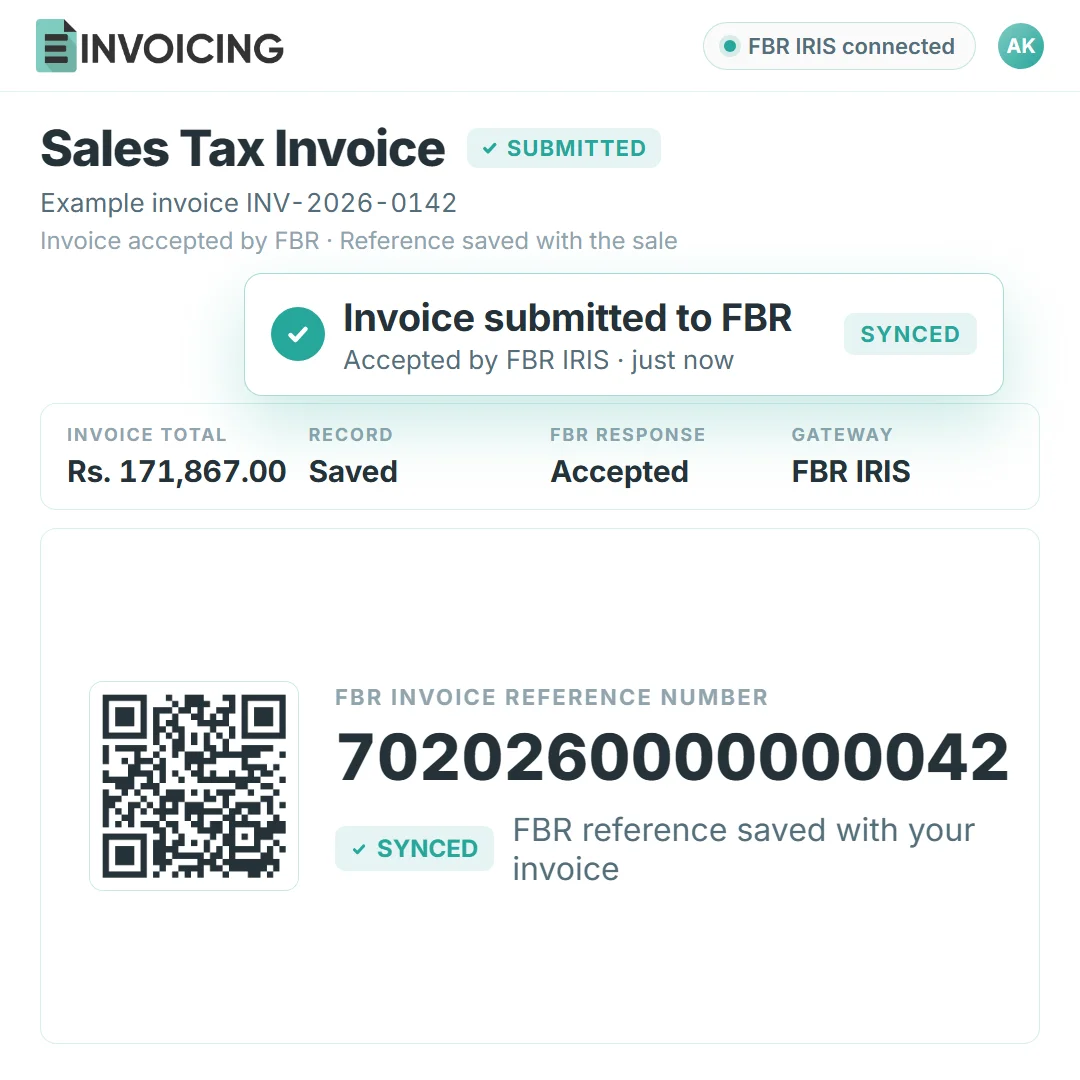
E-Invoicing prepares the invoice, sends it to FBR IRIS the moment you issue it, and keeps the FBR invoice reference number and QR code with the sale. Bulk import, templates, reports and access all live in one dashboard.
For the owner who signs off and the accountant who prepares the return: three manual steps stop being manual.
Digital invoicing can cover sales to registered and unregistered buyers. Your business obligations determine the reporting setup; buyer type alone does not. See FBR’s legal provisions for the applicable requirements.
Invoice numbers follow your sequence, tax is calculated from the rates you save, and repeat buyer details are filled from the buyer record. The fields your accountant used to type by hand arrive already correct.
FBR receives each sales-tax invoice as soon as it is created, so nothing waits in a folder for the filing deadline. An invoice that needs attention shows up the same day.
Accepted invoices return an FBR invoice reference number and a QR code. The submission log keeps the time, the status and FBR’s response, so a question about any sale has one place to look.
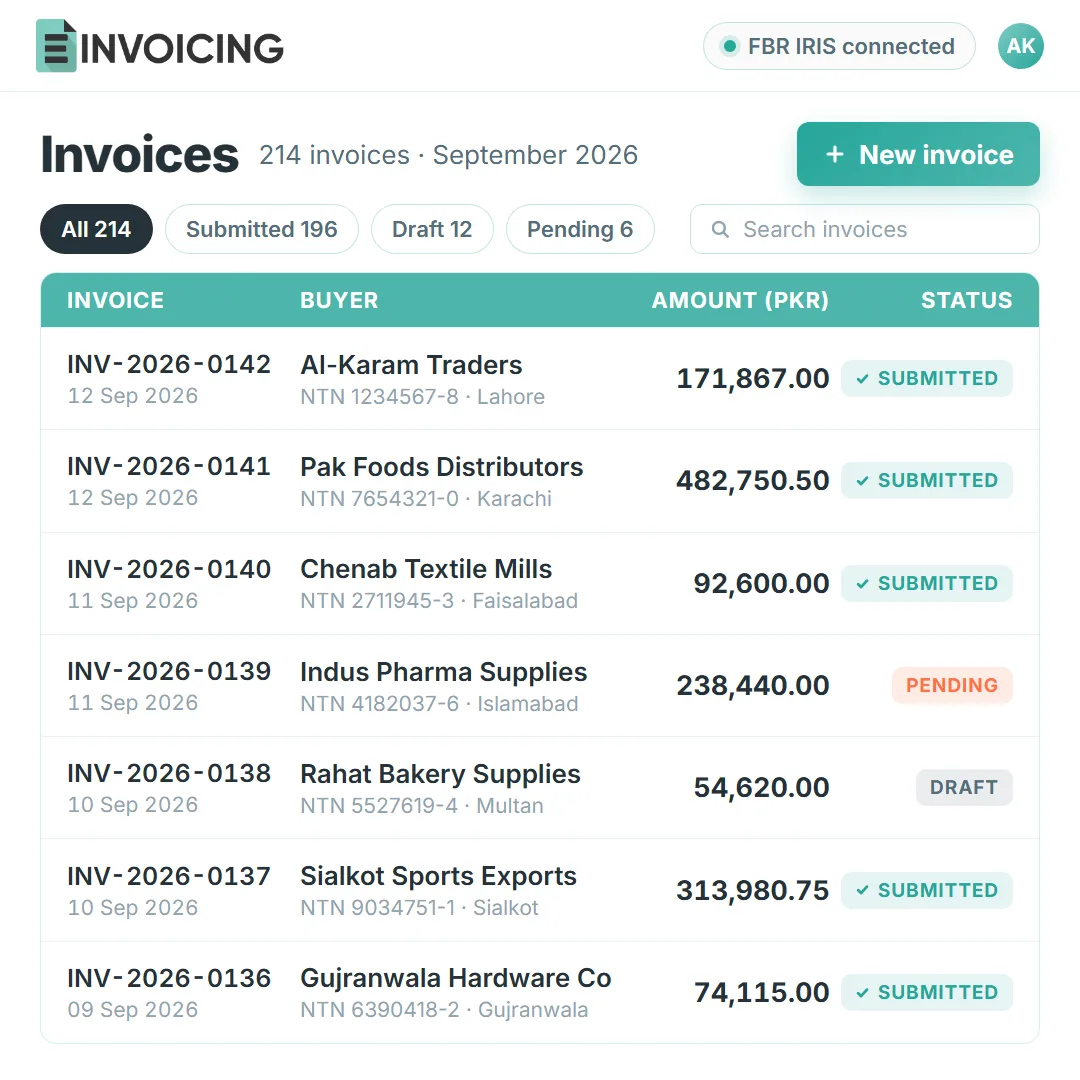
Prepare, submit and track invoices, then give your accountant the reports and access they need.
Automatic numbering, tax from your saved rates, and repeat buyer details recalled for the next sale.
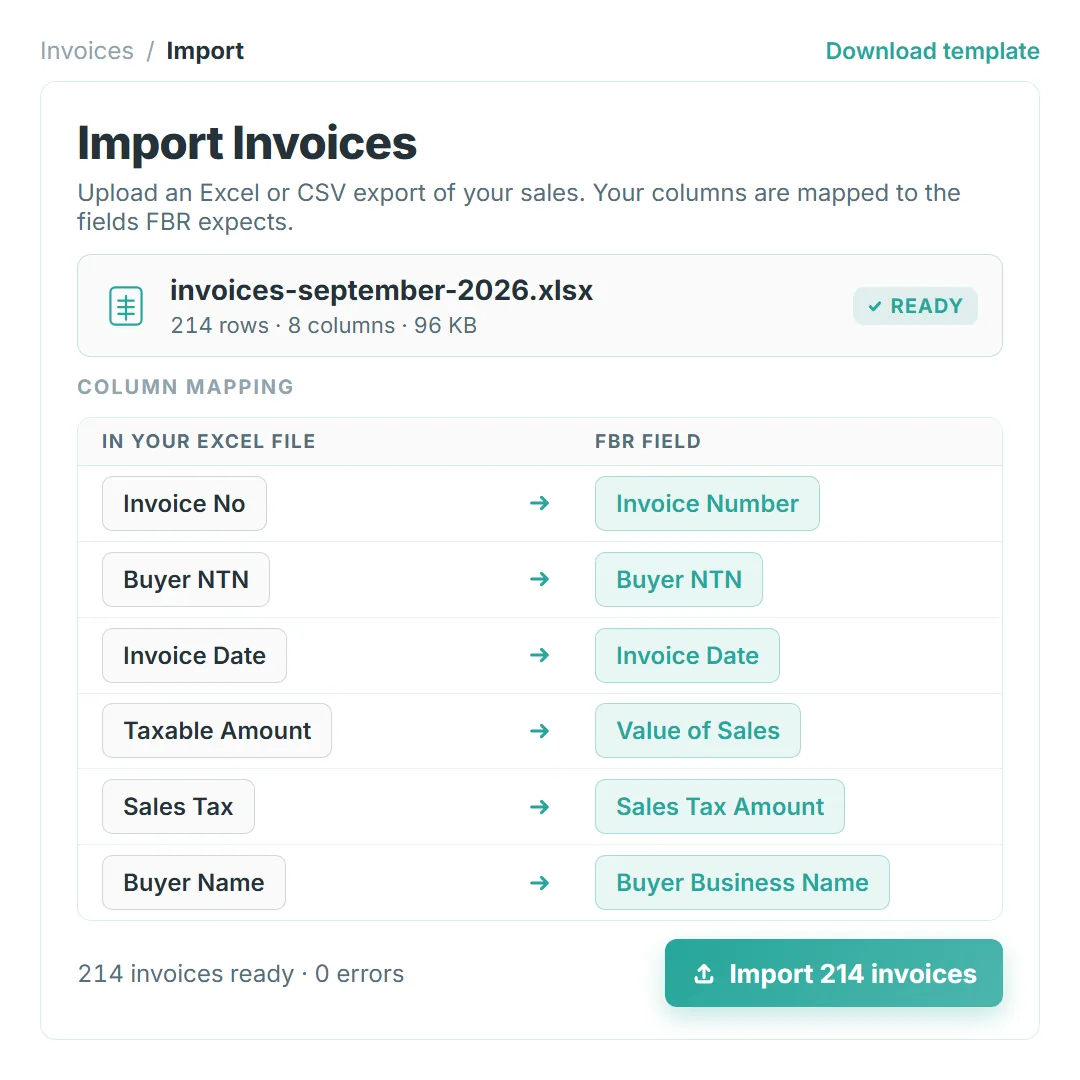
Upload an Excel or CSV export and map your columns onto the fields FBR expects.
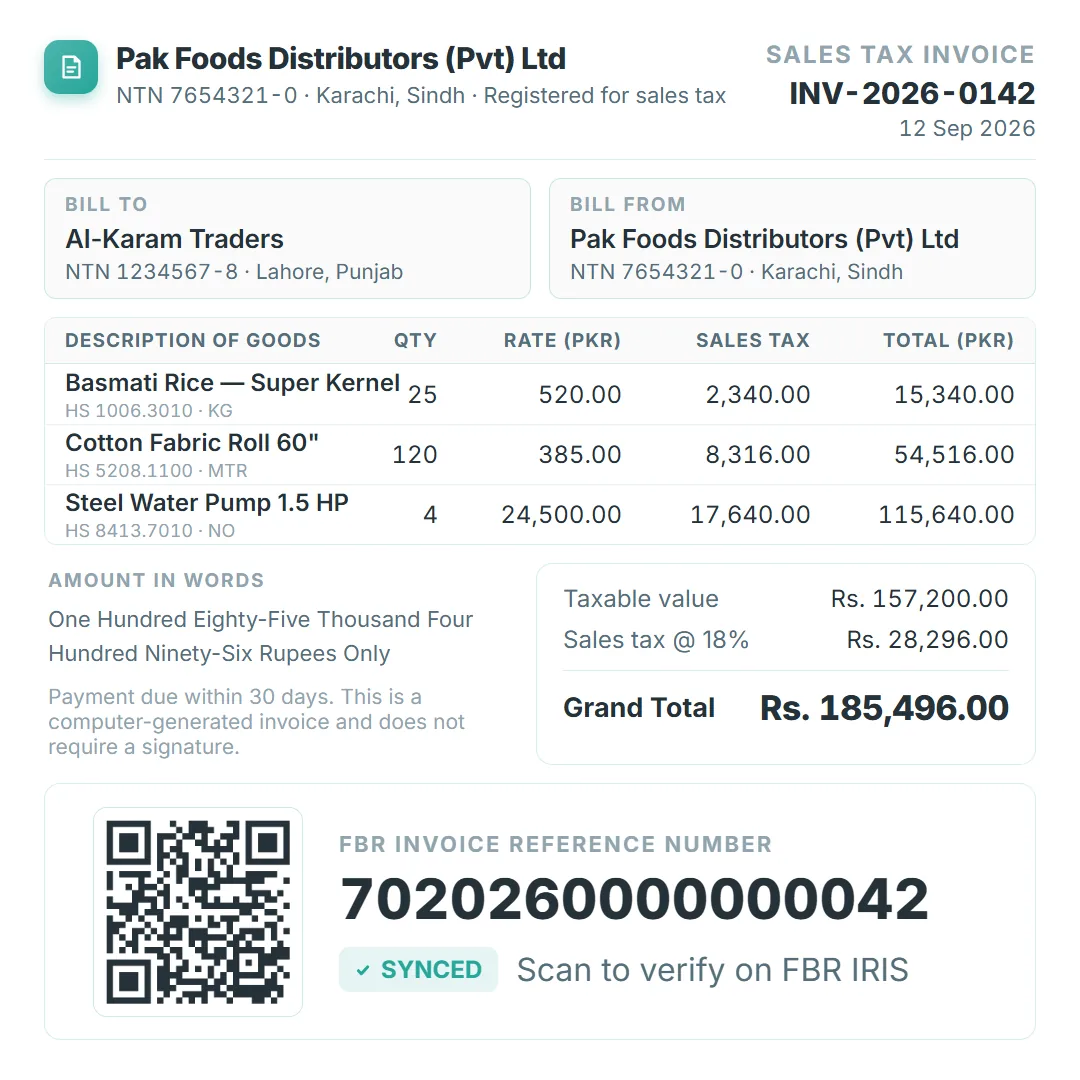
Print or download invoices with the tax breakdown, the FBR reference number and the QR code.
Real-time submission to FBR IRIS, with the reference number and status kept against the sale.
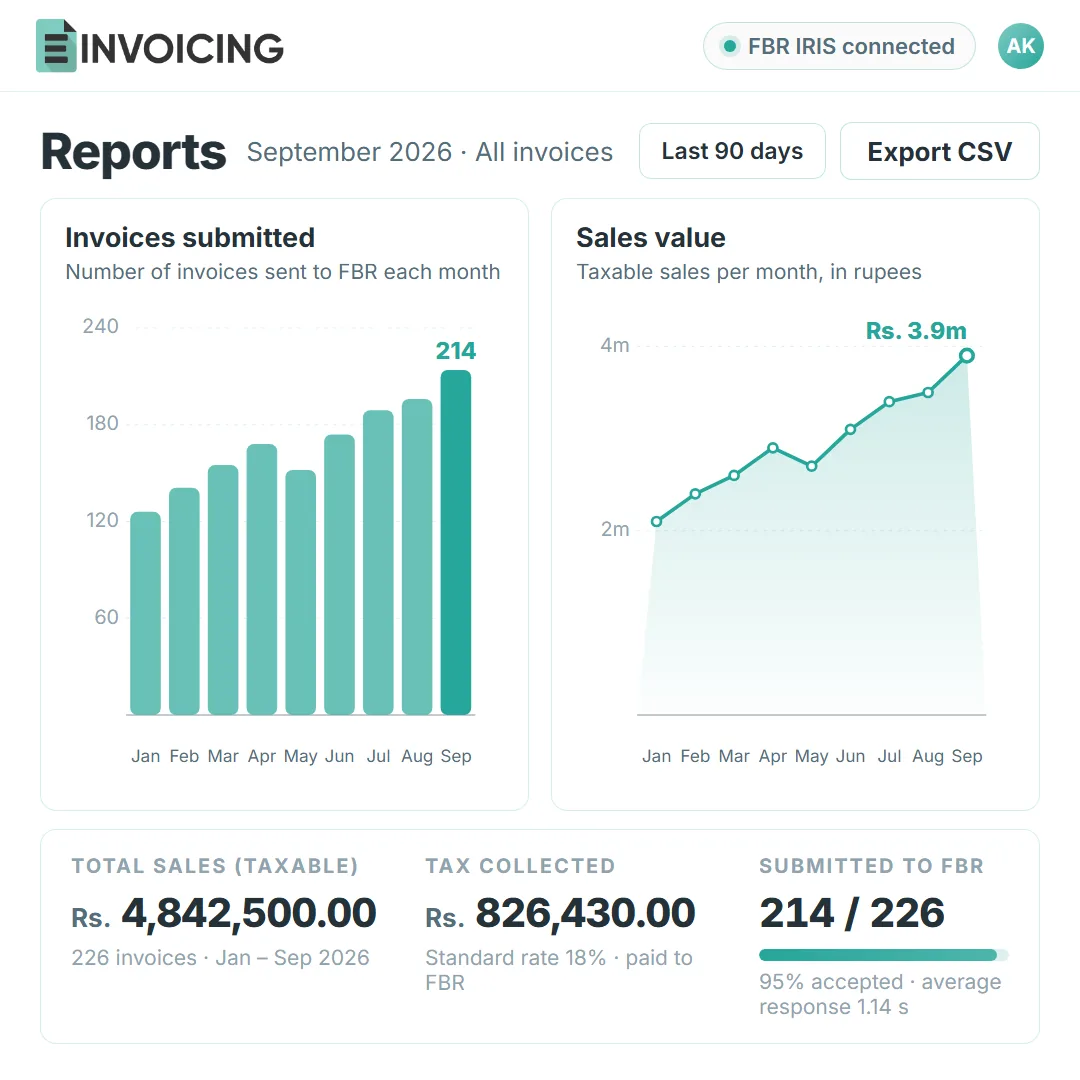
Invoice totals, tax collected and submission status in one view, ready to export.
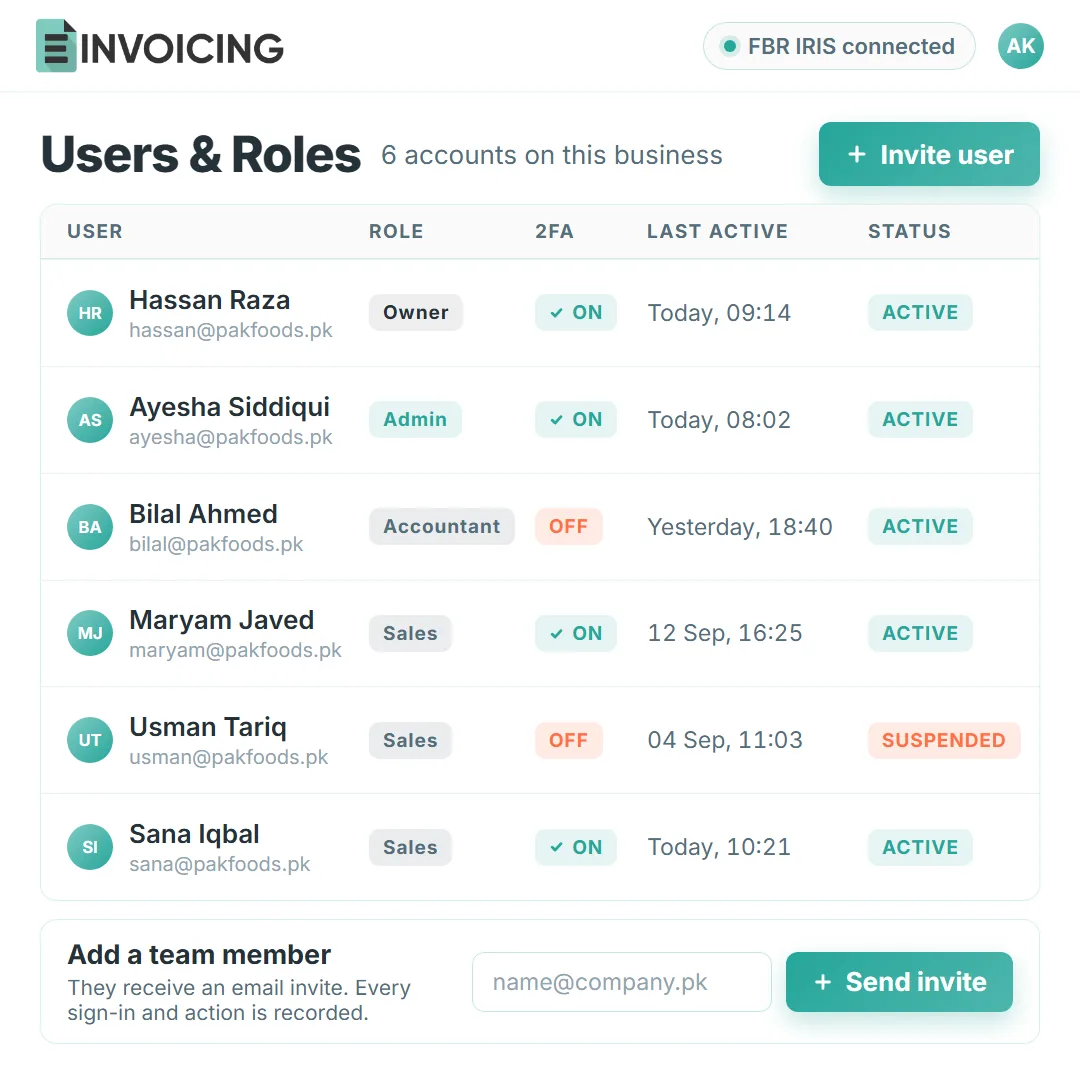
Accountant, billing and manager roles keep each task in the right hands.
Invoices raised in SAP, Odoo, QuickBooks or Shopify reach FBR through E-Invoicing, and the reference number returns to the sale. A custom system can send invoices to the platform directly.




Setup runs with you. Most businesses send a real invoice to FBR within a few working days.
Add your business details and NTN or STRN, then connect the FBR IRIS account you already use.
Create an invoice in the dashboard or upload a spreadsheet. We check that every field matches what FBR expects.
The accepted invoice shows its reference number and QR code, and the submission log records FBR’s response.
Free resources you can use today. If you prefer to read first, the guides hub walks through FBR IRIS tasks step by step.
Look up the Pakistan HS code for what you sell before the description goes on the invoice.
Open the HS code finderFollow the official verification route for an FBR, SRB, PRA or KPRA document.
Open the invoice verification toolThe homepage counts real invoices submitted by live customer use, with test data excluded.
View the record on the homepageShort answers about the digital invoicing route and what your team needs to start.
It covers the sales-tax invoices your registered business must report under the applicable FBR requirements. Buyers can be registered or unregistered. We help set up the invoicing and POS workflows your business needs, with the right customer details for each sale.
No. Keep SAP, Odoo, QuickBooks or Shopify. Invoices raised in those systems reach FBR through E-Invoicing and the reference number returns to the sale. A custom system can send invoices to the platform directly.
Yes. Upload an Excel or CSV export and the platform maps your columns onto the fields FBR expects. This is the usual route when the invoices already live in an ERP or an older system, and each imported invoice keeps its FBR response.
Every accepted invoice carries its FBR invoice reference number and QR code in the dashboard. The same details print on the invoice template, so the buyer can check the document and your team can find it later.
Yes. Each person gets their own account with a role, so invoice creation, reporting and administration stay in the right hands. Every action is recorded, and the FBR connection details are encrypted.
Your business details, your NTN or STRN, and access to the FBR IRIS account you use today. We set up the connection, then send a test invoice with you to confirm the fields and the response.
Bring an invoice you already issue. We show the full path: preparation, submission to FBR, the reference number and QR code, and the record left behind.